
 Support FPE

How to Add a Player in Blender for Godot
Your first magical FPE moment can be wonderfully small: select a Blender object, check Player, export the scene, and walk around your own art in Godot. Start there; polish the controller after the whole trip works.
Before you begin
Install the Folded Paper Engine addon for Blender and enable it in Blender Preferences. Then install and enable the separate Folded Paper Engine plugin for Godot. In Blender, select an object and press N to open the sidebar; FPE controls live in the Item tab. Work at believable scale. The player object should be approximately one meter tall so movement, camera distance, triggers, and holdable props begin from sensible proportions.
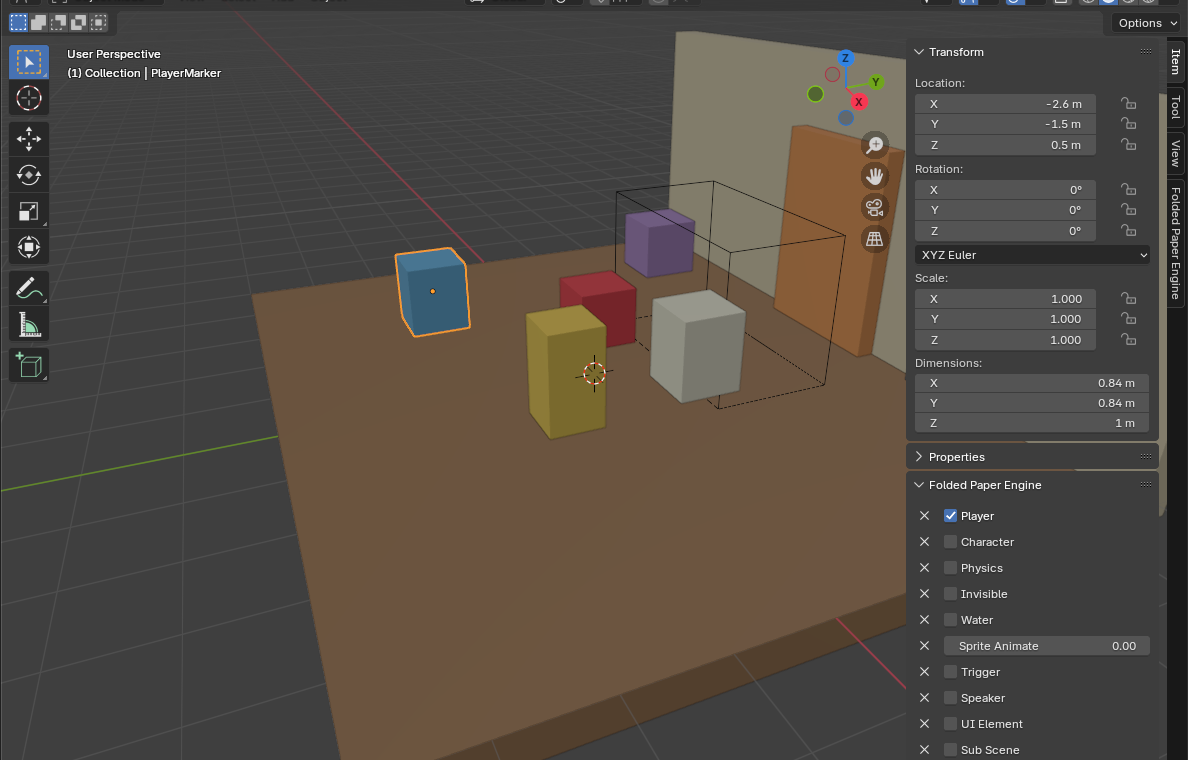
Create the player in Blender
- Add a simple mesh where the player should spawn. A capsule-like placeholder or sphere is fine while you prove the workflow.
- With it selected, open Item → Folded Paper Engine and check Player.
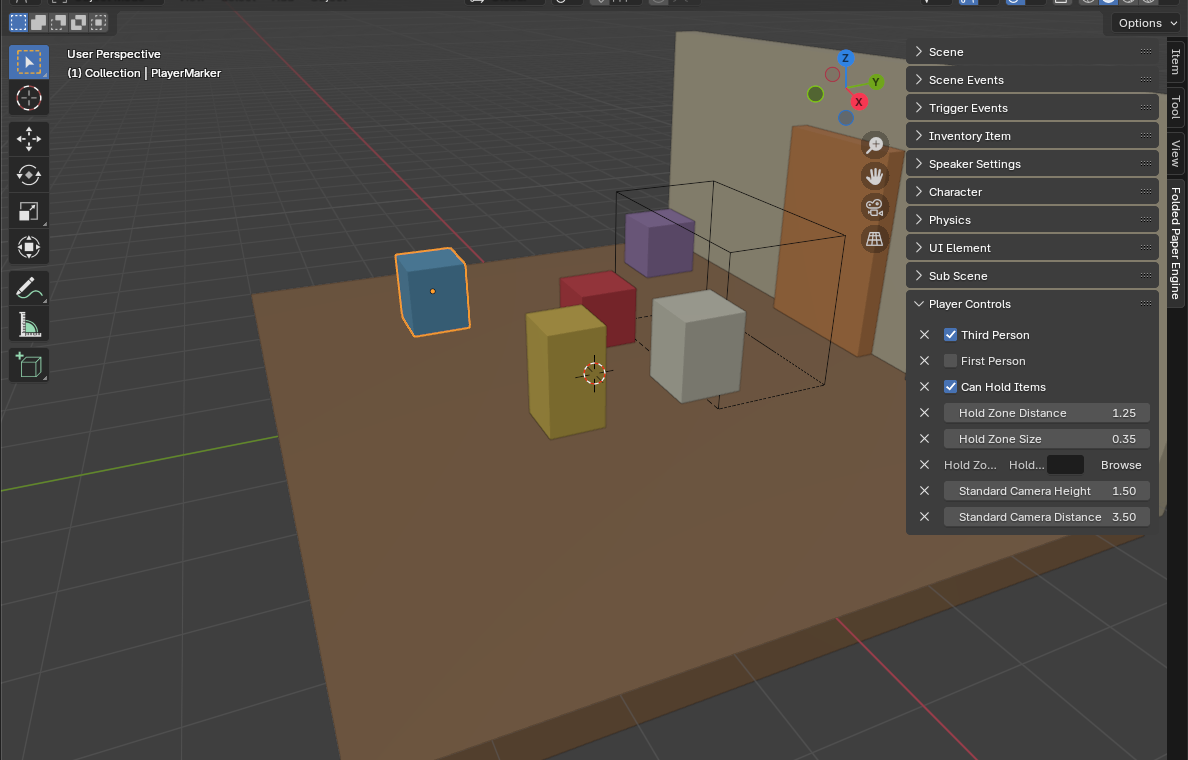
- Open Player Controls and choose First Person or Third Person. Do not enable both.
- Set Standard Camera Height so the view sits naturally relative to the model.
- For third person, adjust Standard Camera Distance to frame the character without immediately colliding with nearby walls.
- If a first-person player should carry physical props, enable Can Hold Items. Leave hold-zone tuning for the dedicated holdables guide.
Give the player somewhere safe to stand
Create a floor mesh and add Godot's -col naming suffix so the imported
level has collision. Place the player clearly above the floor rather than intersecting
it. Keep this first test scene tiny: one floor, one player, one light, and optionally
one camera.
Export and test
- Export glTF/GLB into the Godot project.
- Enable Custom Properties; also export cameras and punctual lights when the scene uses them.
- In Godot, let the GLB reimport, load it through the Folded Paper Engine node, and run the scene.
- Confirm movement, camera height, floor collision, and spawn position before decorating the level.
If it feels wrong
- The player is enormous or tiny: fix scale in Blender and apply transforms before tuning movement.
- The player falls forever: verify the floor exported with collision and the player starts above it.
- No controls: confirm one control style is enabled and the Godot FPE plugin/root is active.
- Camera is inside the model: adjust camera height/distance or use a clean placeholder while testing.