
 Support FPE

Blender-to-Godot Game Development Guides
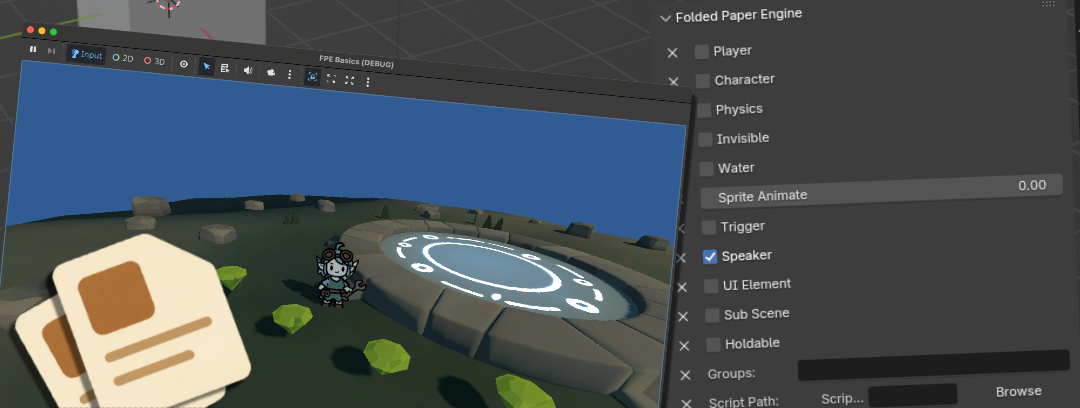

Make Pretty Art Into Pretty Games
Start in Blender. Click to make real mechanics. Grow into Godot
engineering.
Instant Game Mechanics
Your level already lives in Blender: the doorway, the camera angle, the spot where music should change, and the prop that begs to be picked up. These guides help you turn those artistic decisions into playable Godot mechanics with FPE. Begin with one satisfying result, then follow the engineering guides when you are ready to inspect, customize, and invent.Friendly, exact recipes using the real Folded Paper Engine panels. No programming is required for the first success, and every guide explains what arrives in Godot.
Make a Playable Level Turn Blender geometry into a correctly scaled, collidable level and prove the complete GLB-to-Godot workflow. Add a Player in Blender Create a correctly scaled player and choose first-person, third-person, camera, and hold-zone settings. Create Blender Triggers Draw trigger volumes where the action belongs, filter participants, and dispatch named gameplay events. Make Doors and Switches Combine Blender animations, triggers, speakers, and Scene Event commands into a satisfying interaction. Add Physics in Blender Author collision, mass, friction, bounciness, and fast-moving-body protection before export. Pickups and Holdable Items Choose between stackable inventory data and a physical prop the player carries through the world. Add Audio in Blender Turn scene objects into positioned speakers and give the whole level music without writing playback scripts. Trigger Animation Events Place meaningful events on exact Blender frames for footsteps, impacts, sounds, cameras, and scene changes. Create Camera Cuts Author cameras in the scene, pause player control, run the shot, and return to the player safely. Load Levels and Interiors Choose full level changes or streamed sub-scenes and author the transition where the doorway lives. Set Up the Game World Choose sky color, gravity, music, and commands that run as your authored level loads and unloads.
Understand and Extend in Godot
Keep the artist's intent; add the systems only your game needs
FPE removes repeated wiring without hiding the engine. These guides open the generated patterns, connect custom code safely, and help artists become confident technical creators without asking them to stop thinking like artists.
Blender Properties to Gameplay Understand the standard glTF contract that carries an artist's gameplay decisions into inspectable Godot nodes. Instant Game Mechanics See how artists can own repeatable gameplay setup while engineers keep control of the unique systems. Extend an Inventory System Model item data, stacking, partial transfers, saves, and UI beyond the Blender-authored pickup. Extend FPE Triggers Understand the Area3D pattern beneath authored triggers and connect custom systems without brittle node paths. Add Custom Interactions Add player targeting and unique behaviors while preserving the repeated setup imported from Blender. Save and Restore Game State Persist player and character inventories, collected objects, named events, and animation-driven world state across FPE level loads. Connect Triggers to Dialogue Start Godot-authored conversation resources from Blender-authored events and keep UI separate from progression. Fix Blender-to-Godot Imports Trace missing mechanics through Blender settings, GLB export, Godot reimport, and FPE runtime behavior.
Folded Paper Engine Reference
Exact settings, commands, and runtime behavior
Already using FPE and need the precise feature documentation? These references contain the complete authoring and runtime details behind the problem-first guides.
Scene SettingsSky color, gravity, music, and scene-level events.Characters, Players and CamerasPlayer rigs, NPCs, cameras, and control styles.Animation and Frame EventsImported animation, timed events, and playback control.AudioSpeakers, ambience, looping, and background music.Triggers and CommandsTrigger filters, scene events, and the command catalog.Inventory and HoldablesItem kinds, quantities, slots, and physical held objects.ConversationsDialogue resources, replies, progression, and events.UI and CursorsMenus, overlays, UI elements, and pointer behavior.InputDefault actions, controllers, and runtime remapping.CamerasPlayer cameras, fixed views, switching, and cutscenes.Sub-scenes and Level LoadingInteriors, streamed regions, fades, and full level changes.TroubleshootingExport, import, runtime, trigger, and level-flow checks.Physics and CollidersRigid bodies, collider generation, and movement settings.Import and RuntimeGLB import, feature registration, loading, and cleanup.