
 Support FPE

Blender to Godot Physics: Rigid Bodies and Colliders
Physics is where a pretty prop starts feeling like part of the world. A mug should settle, a rubber ball should bounce, and a heavy crate should resist being shoved. Author those material expectations beside the object itself.
You will make: a Blender prop that imports as a physical Godot
object with intentional weight, grip, bounce, and collision behavior.
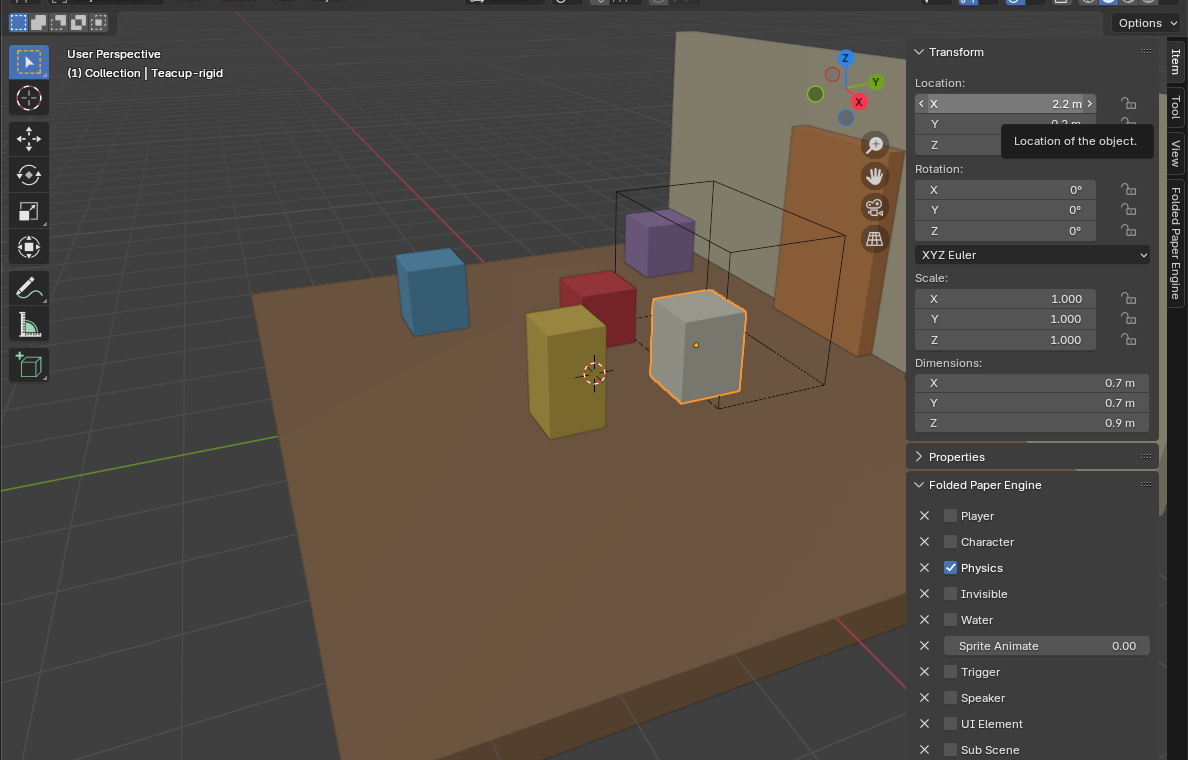
First, make it a physics body
The FPE Physics checkbox does not turn an ordinary mesh into a rigid body. Godot's standard glTF importer decides the node and collider type from the Blender object name.
- Work at real-world scale, apply scale, and set the origin where rotation and balance make sense.
-
For a movable prop, add
-rigidto the Blender object name—for example,Teacup-rigid. Godot imports it as aRigidBody3Dwith collision. -
For immovable level geometry, use
-colfor a visible mesh with static collision. Godot also supports-convcol,-colonly, and-convcolonlyfor other collider needs. - Only after choosing the body type, open Blender's Item → Folded Paper Engine panel and check Physics. That exposes the FPE material and motion settings applied to the imported physics body.
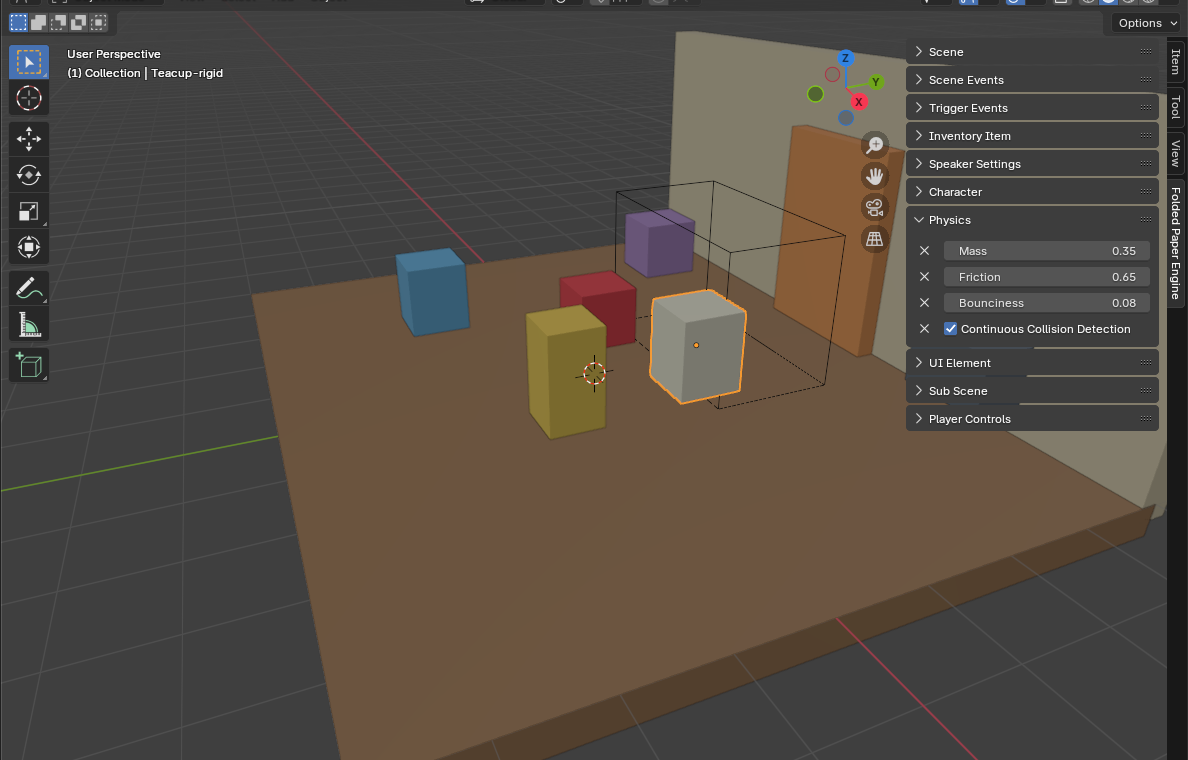
Describe how the prop should feel
- Mass: controls inertia. Start with a plausible value and compare related props rather than chasing perfect simulation.
- Friction: increase it for grippy crates and reduce it for slippery objects.
- Bounciness: keep ordinary furniture low; raise it deliberately for balls or playful props.
- Continuous Collision Detection: enable it for small or fast objects that could otherwise pass through thin colliders.
Export a tiny physics test
- Place the prop above a collidable floor.
- Export with Custom Properties enabled.
- Load the GLB through FPE and let the object fall.
- Check resting orientation, sliding, bounce, tunneling, and scale.
- Change one property at a time in Blender and re-export until the result communicates the material you imagined.
Common problems
- Explodes or spins wildly: inspect overlapping collision, origin placement, scale, and spawn position.
- Falls through the floor: verify both objects have collision; use continuous detection only when speed or size justifies it.
- Everything feels weightless: check scale first, then compare mass and damping in Godot.
- Imported edits disappear: fix authored physics in Blender or a stable extension, not inside the generated scene.