
 Support FPE

How to Save and Restore FPE Game State in Godot
FPE rebuilds a playable level from Blender; your game decides what must survive that rebuild. A small persistent Godot controller can capture durable facts before unload, wait for FPE to create the new runtime, then put inventory and world state back where they belong.
When should an FPE project use GDScript?
Keep spatial intent and repeated setup in Blender: where the door is, which animation opens it, where a pickup sits, and which named event a trigger dispatches. Add GDScript when a decision must outlive the current imported scene, coordinate several levels, write to disk, enforce game-specific rules, or restore a result without replaying the action that originally caused it.
“The workshop door is open,” “Mira owns two keys,” and “this apple was collected” are durable game facts. They belong to the game, not to a temporary node generated from the current GLB.
Understand the load boundary
-
FoldedPaperEngine.add_unload_proceedure()registers work that runs before FPE clears the current level. Use it to capture live state. The API currently spells “procedure” asproceedure. -
global_feature_utils_changefires after a global level has been loaded andGLOBAL_FEATURE_UTILSpoints at its runtime helpers. It also fires with no runtime after unload, so always check fornull. -
add_load_proceedure()runs before FPE loads the new scene. It is useful for pre-load work, but it is too early to restore players, inventories, or animation poses. -
Wait one process frame after
global_feature_utils_change. That lets generated nodes run_ready(), letsPlayerControlschoose its inventory, and lets FPE finish its deferred animation initialization.
Put the state controller somewhere persistent
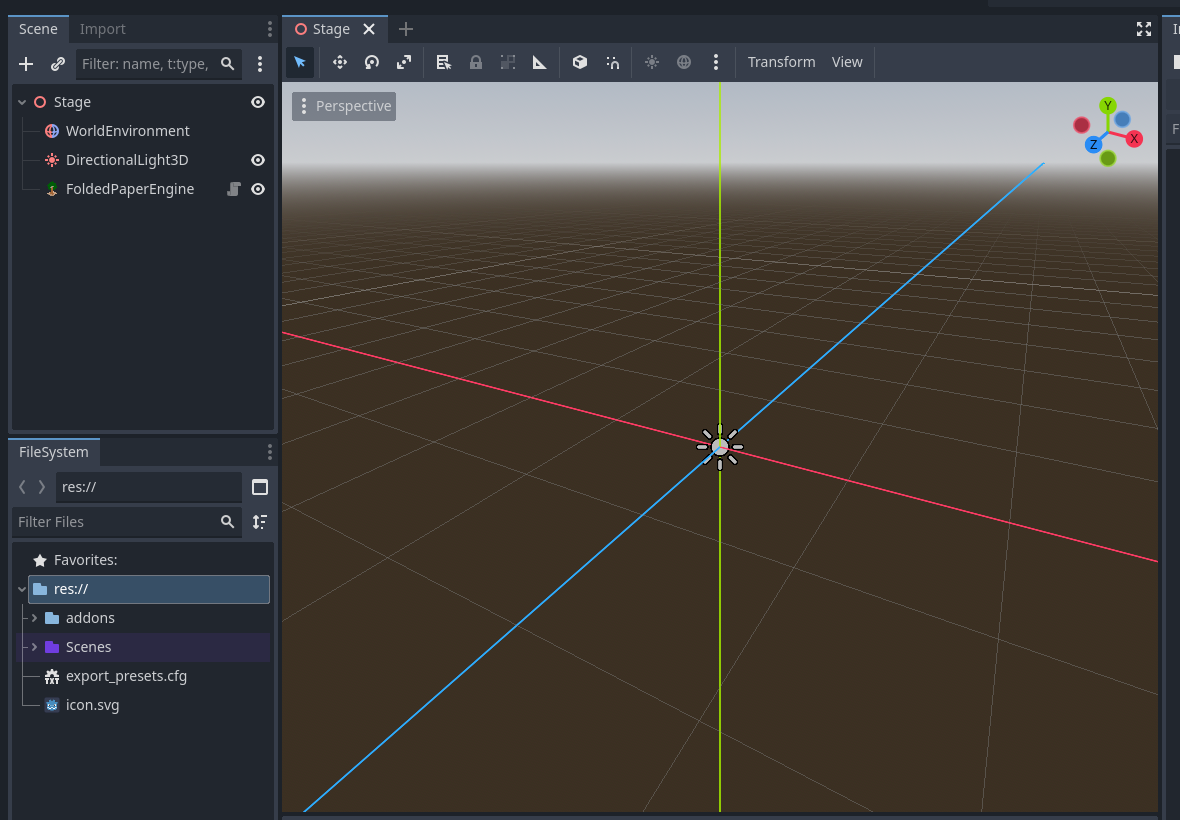
Use an Autoload, or place the controller beside—not beneath—the FoldedPaperEngine node in a stable Godot shell. FPE removes children from its own stage during
a global level change, so a save controller beneath that node would be deleted
with the level.
extends Node
class_name FPEGameState

@export var fpe: FoldedPaperEngine

var state: Dictionary = {
    "version": 1,
    "level_path": "",
    "player_inventory": {},
    "character_inventories": {},
    "flags": {},
}

func _ready() -> void:
    fpe.global_feature_utils_change.connect(_on_fpe_runtime_changed)
    FoldedPaperEngine.add_unload_proceedure(_capture_before_unload)

    var event_manager := FPEEventManager.GLOBAL_INSTANCE
    if not event_manager.fpe_event.is_connected(_on_fpe_event):
        event_manager.fpe_event.connect(_on_fpe_event)

    if FoldedPaperEngine.GLOBAL_FEATURE_UTILS:
        _restore_runtime.call_deferred()

func _exit_tree() -> void:
    FoldedPaperEngine.remove_unload_proceedure(_capture_before_unload)
    if is_instance_valid(fpe) \
    and fpe.global_feature_utils_change.is_connected(_on_fpe_runtime_changed):
        fpe.global_feature_utils_change.disconnect(_on_fpe_runtime_changed)
    var event_manager := FPEEventManager.GLOBAL_INSTANCE
    if event_manager \
    and event_manager.fpe_event.is_connected(_on_fpe_event):
        event_manager.fpe_event.disconnect(_on_fpe_event)

func _on_fpe_runtime_changed() -> void:
    if not FoldedPaperEngine.GLOBAL_FEATURE_UTILS:
        return # This notification was the unload.
    await get_tree().process_frame
    await _restore_runtime()

func _capture_before_unload() -> void:
    _capture_runtime()
    write_save()
Save plain data, never runtime references
Node references, AnimationPlayer references, and generated scene
paths become invalid when FPE unloads the level. Save stable names from Blender,
inventory item-kind IDs, quantities, booleans, numbers, and the level resource
path. Add a version number so future releases can migrate old saves.
const SAVE_PATH := "user://savegame.json"

func write_save() -> void:
    var file := FileAccess.open(SAVE_PATH, FileAccess.WRITE)
    if file:
        file.store_string(JSON.stringify(state))

func read_save() -> bool:
    if not FileAccess.file_exists(SAVE_PATH):
        return false
    var file := FileAccess.open(SAVE_PATH, FileAccess.READ)
    var value: Variant = JSON.parse_string(file.get_as_text())
    if value is not Dictionary:
        push_error("Save data is not a Dictionary")
        return false
    state = value
    return true
Get the current FPE runtime
func current_features() -> FeatureUtils:
    return FoldedPaperEngine.GLOBAL_FEATURE_UTILS

func current_root() -> Node:
    var features := current_features()
    return features.FPE_GLOBALS.CURRENT_LOADED_ROOT if features else null

func player_at(index: int = 0) -> PlayerControls:
    if index < 0 or index >= FPEGlobals.PLAYER_LIST.size():
        return null
    return FPEGlobals.PLAYER_LIST[index]
The active FeatureUtils also exposes ANIMATION_UTILS, AUDIO_UTILS, CAMERA_UTILS, SUB_SCENE_UTILS, and the current FPEGlobals maps. Prefer those runtime-owned references
over hard-coded imported node paths.
Capture inventory without serializing live Resources
Inventory can convert itself to a dictionary, but durable saves
are safer when they store only slot coordinates, item-kind IDs, and quantities.
On restore, resolve each ID through the current InventoryUtils registry.
That keeps labels and stack limits current even when the game has changed since
the save was written.
func capture_inventory(inventory: Inventory) -> Dictionary:
    var data := {
        "size": inventory.size.to_dict(),
        "slots": [],
    }
    for row_key in inventory.slot_rows.keys():
        var row: InventorySlotRow = inventory.slot_rows[row_key]
        for position_key in row.slots.keys():
            var slot: InventoryItemSlot = row.slots[position_key]
            if slot and slot.kind:
                data.slots.append({
                    "row": int(row_key),
                    "position": int(position_key),
                    "kind_id": slot.kind.id,
                    "quantity": slot.quantity,
                })
    return data

func restore_inventory(controls: CharacterControls, data: Dictionary) -> void:
    if not controls or data.is_empty():
        return

    var size_data: Dictionary = data.get("size", controls.inventory.size.to_dict())
    var restored := Inventory.new({"size": size_data})

    for saved_slot: Dictionary in data.get("slots", []):
        var kind_id := String(saved_slot.get("kind_id", ""))
        var kind := InventoryUtils.get_item_kind(kind_id)
        if not kind:
            push_warning("Unknown inventory kind in save: " + kind_id)
            continue

        var slot := InventoryItemSlot.new({
            "kind": kind,
            "quantity": int(saved_slot.get("quantity", 0)),
        })
        restored.add_quantity_to_row_at_position(
            slot,
            int(saved_slot.get("row", 1)),
            int(saved_slot.get("position", 1)),
            func(_ejected: Array) -> void: pass,
        )

    controls.inventory = restored
    if controls is PlayerControls:
        InventoryUtils.PLAYER_INVENTORY = restored
The final assignment matters for players: PlayerControls uses InventoryUtils.PLAYER_INVENTORY to preserve a shared player inventory between FPE levels. Set both references
after rebuilding the inventory.
Restore player and character inventories
func capture_all_inventories() -> void:
    var player := player_at()
    if player:
        state.player_inventory = capture_inventory(player.inventory)

    state.character_inventories = {}
    for character_id: String in ["mira", "shopkeeper"]:
        var controls := character_from_group("save_character_" + character_id)
        if controls:
            state.character_inventories[character_id] = capture_inventory(controls.inventory)

func restore_all_inventories() -> void:
    var player := player_at()
    if player:
        restore_inventory(player, state.get("player_inventory", {}))

    for character_id: String in state.get("character_inventories", {}).keys():
        var controls := character_from_group("save_character_" + character_id)
        if controls:
            restore_inventory(controls, state.character_inventories[character_id])

func character_from_group(group_name: StringName) -> CharacterControls:
    for authored_node in get_tree().get_nodes_in_group(group_name):
        var candidate: Node = authored_node
        while candidate:
            if candidate is CharacterControls:
                return candidate
            candidate = candidate.get_parent()
    return null
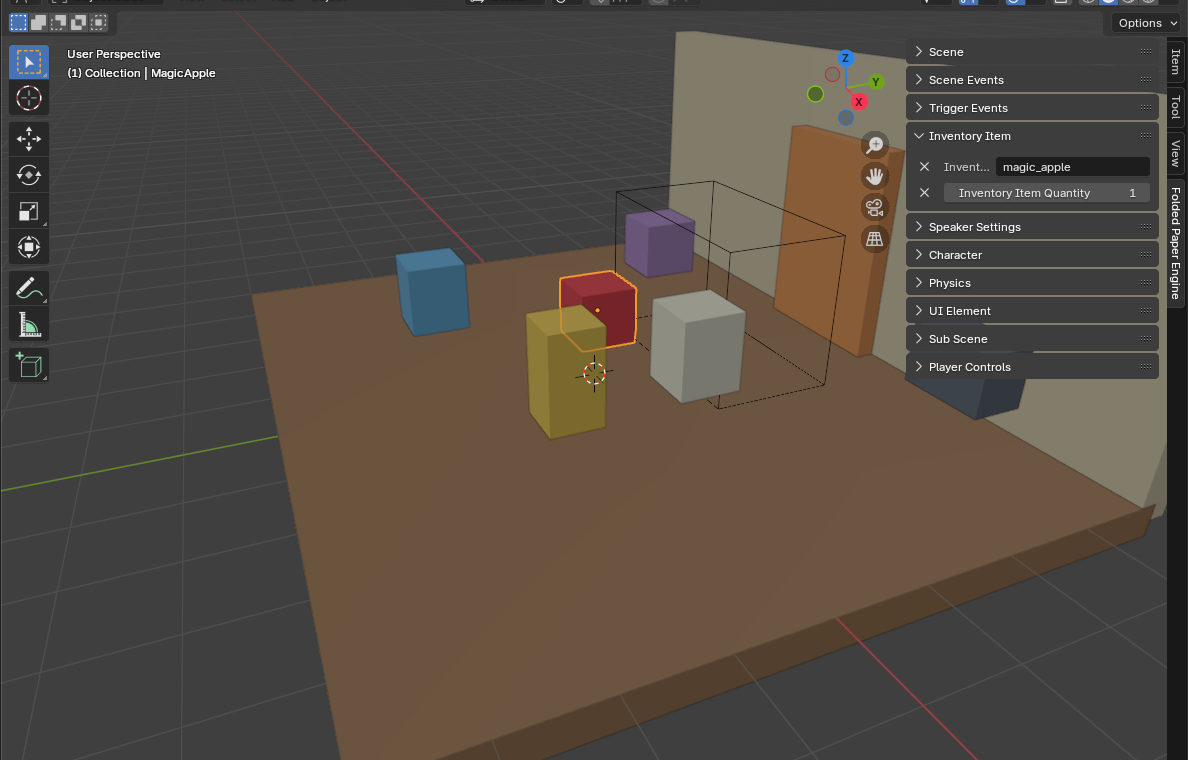
In Blender, put a stable value such as save_character_mira in the
character object's FPE Groups field. FPE applies that group
to the authored object; the runtime CharacterControls rig becomes
an ancestor, which is why the helper walks upward.
Listen to FPE events and store results
Named events are the clean handoff from artist-authored interactions to
durable game rules. A Blender trigger can dispatch WORKSHOP_DOOR_OPENED; FPE performs the immediate animation and audio commands, while your
persistent controller records the lasting fact.
func _on_fpe_event(event: FPEEvent) -> void:
    match event.type:
        "WORKSHOP_DOOR_OPENED":
            state.flags["workshop_door_open"] = true
            write_save()
        "MAGIC_APPLE_COLLECTED":
            state.flags["magic_apple_collected"] = true
            write_save()
Do not store event.owner or event.initiator. They
identify the live participants for immediate logic, but they are freed on
unload. Store the event's meaning and stable authored IDs instead.
Restore an animation-driven door without replaying it
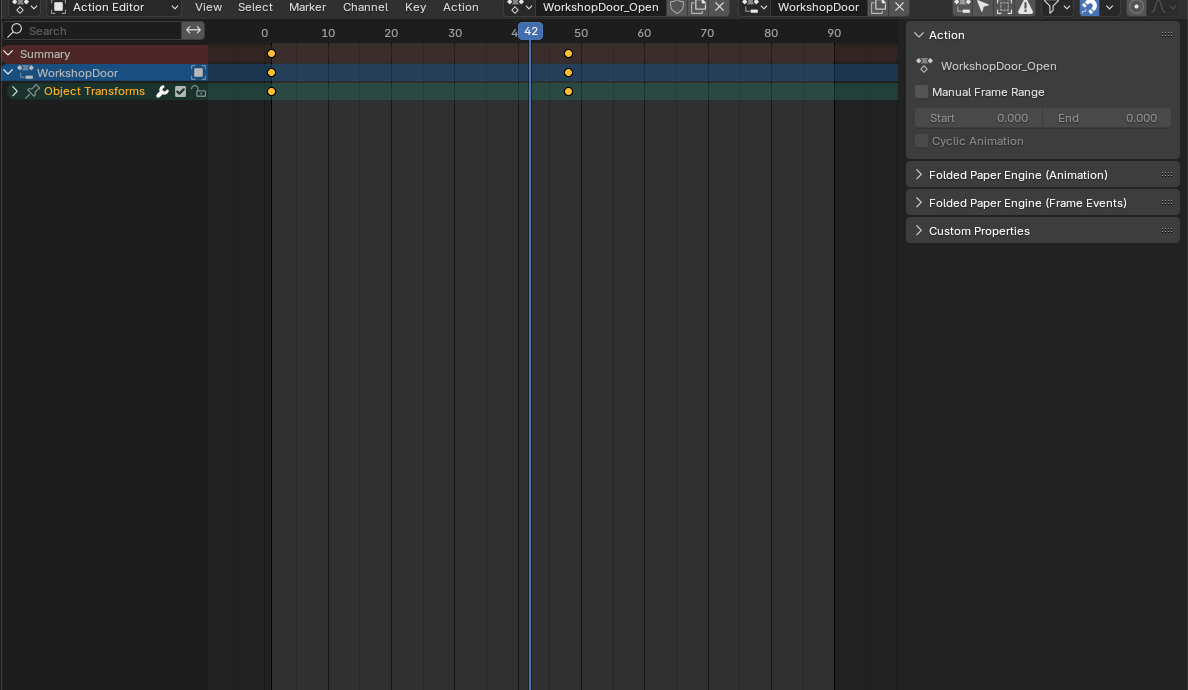
FPE indexes imported animations by name. Use the current ANIMATION_UTILS to get the correct player, then seek with update = true and update_only = true. Godot applies transform tracks—including the collision object's open
position—while skipping method, audio, and nested playback tracks. Pausing
immediately also keeps FPE frame events from treating restoration as fresh
gameplay.
func restore_animation_pose(animation_name: String, time_seconds: float = -1.0) -> void:
    var features := current_features()
    if not features:
        return

    var player := features.ANIMATION_UTILS.get_animation_player(animation_name)
    if not player or not player.has_animation(animation_name):
        push_warning("Missing saved animation: " + animation_name)
        return

    var animation := player.get_animation(animation_name)
    var target_time := animation.length if time_seconds < 0.0 else time_seconds
    target_time = clampf(target_time, 0.0, animation.length)

    player.play(animation_name)
    player.seek(target_time, true, true)
    player.pause()

func restore_world_flags() -> void:
    if state.flags.get("workshop_door_open", false):
        restore_animation_pose("WorkshopDoor_Open")

    if state.flags.get("magic_apple_collected", false):
        for node in get_tree().get_nodes_in_group("save_magic_apple"):
            node.queue_free()
Use the exact Blender action name. For a binary door, save open = true and let the current animation length define the final pose. Save seconds only
for genuinely continuous state. After restoring collision transforms, wait for
get_tree().physics_frame before returning control if the player
could already be touching the door.
Order the complete restoration
func _restore_runtime() -> void:
    var features := current_features()
    if not features:
        return

    # Only take this lock if this controller owns the matching unlock.
    features.ACTIVITY_CONTROL_UTILS.deactivate_player_controls()

    restore_all_inventories()
    restore_world_flags()
    await get_tree().physics_frame

    features.ACTIVITY_CONTROL_UTILS.reactivate_player_controls()

func _capture_runtime() -> void:
    capture_all_inventories()
- Read and validate the save before requesting the level.
-
Load the saved level through
FoldedPaperEngine.global_load_level(). -
Wait for
global_feature_utils_change, then one process frame. - Restore inventories and durable world facts.
- Wait one physics frame after moving collision through animation.
- Return input only if this restoration operation disabled it.
Sub-scenes need an explicit completion hook
The global feature-utils signal covers global level changes. FPE does not
currently expose a public “sub-scene loaded” signal. If saved state belongs
to a streamed interior, coordinate that load from GDScript through features.SUB_SCENE_UTILS.load_scene(name), then wait for the authored host's child to enter the tree before
restoring its groups and animations. Do not reach into SubSceneHost's private fields; wrap the operation or add a small public signal to your
FPE fork.
Production rules that prevent painful saves
- Give persistent objects, characters, actions, and event types stable authored names. Renaming one is a save migration.
-
Save facts, not presentation:
door_openis stronger thandoor_animation_time = 1.733. - Make restoration idempotent. Applying the same save twice should produce the same world.
- Keep save mutation in one authority. UI may request a save; it should not own the state.
- Warn and continue when an old save references a removed item or animation.
- Test load from the title screen, between levels, after re-exporting Blender art, and while the player is near animated collision.
Godot reference: AnimationPlayer seek reference